|
Trading in Monopoly Star Wars
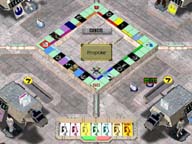
becomes a simple process when you know the purpose of all the on-screen gadgets. To make a trade, click on the floating blue droid in the upper left-hand corner. The droid will open and take you to the Trading screen.
The blue droid flies to the player who initiated the trade. Click on the button with the arrow, beneath the Cancel button, to review all of the properties purchased by the players. Highlight the property name with your cursor, and right-click to see the card in detail. Click on the property you want to trade and the cursor will change to show you holding the card. Move the cursor in front of your potential trading partner and click to drop the card. Now let's say you'd like to sweeten the deal with some cash. Click on the yellow Credit icon, and then click in front of your trading partner. This opens a large window along the bottom of the screen showing different denominations of credits. Choose the amount of credits, and click on the green button in the denomination window to accept. If you want to reset the amount, click on the red button.
But What if He Offers Me Dagobah?
Knowing the trading process is one step in the right direction, but knowing how to make good trades is a different matter. Strategies for success at Monopoly can be used, but you must still depend on the luck of the roll. There are some things to keep in mind:
Never give another player a monopoly unless you receive one of equal or higher value in return. Acquiring monopolies is good, but developing them is better. Develop early and often. Match your money to the monopoly. If you have $50, and you're trading to get the Coruscant monopoly, you won't have enough money to start development. There are cards that send players to specific properties. Try to obtain those monopolies and develop them, because that's one extra chance a player has to land on your square. One of the best monopolies dollar for dollar and considering return on investment is the Dark Red set of properties. |