|
|
|
|
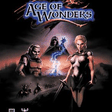
Age of Wonders is a turn-based fantasy strategy game from Triumph Studios. Twelve races share one world, from Elves and Dwarves to Orcs and the Undead. Lead your armies and heroes across the map, take cities, research spells, and fight every battle on its own tactical map against the other players at your Zone table.
Developer: Triumph Studios
Publisher: Gathering of Developers
Original Release: 1999
|
|
|
| What You'll Need |
|
|
- A FREE Zone Name and password (Sign up now)
- The Zone client software (Zone Setup)
- Age of Wonders for Windows, the same version on every seat (the official demo 1.31b also works in the Trial Room)
- Windows 95 or 98 (the original box requirement), DirectX, and your own installed copy of the game
- Your own copy of the game, already installed. The Zone hosts no files for this game; see Related Links for official sources
|
|
| How to Play on the Zone |
|
|
- Sign up for a FREE Zone membership and sign in.
- Enter the Age of Wonders Game Rooms on the Zone.
- Enter the Age of Wonders Standard Room on the Zone and sit at a table with the players you want to face.
- When the host starts the table, the Zone starts Age of Wonders (AoW.exe) through DirectPlay on every seat and joins the seats into one network game.
- Every seat arrives in the game's Scenario Setup. The host picks the scenario and the settings, and starts the game when everyone is ready.
Before You Enter a Room: After you install Age of Wonders, start the game once from its own icon on the Start menu, then exit it from the main menu before you enter a game room. Age of Wonders finishes setting itself up for network play the first time it runs. If the lobby tells you that you need Age Of Wonders installed, close the lobby, start the game once, exit it, and enter the room again.
Multiplayer Connection (DirectPlay Game Started from the Zone Room): Age of Wonders plays over DirectPlay. The Zone sets up the DirectPlay session for your table and carries its traffic between the seats, so nobody has to type an address or open ports. New to Zone game rooms? Visit the Zone Room Tutorial.
|
|
| The Game in Brief |
|
|
- Twelve races, each with its own units, cities and outlook; how the races feel about each other decides whether a captured city stays loyal.
- Turn-based play on a world map with an underground layer: move armies, explore, and take cities, mines and towers.
- Every battle moves to a tactical hex map where you fight it out unit by unit, or let the game settle it for you.
- Your Leader and your heroes gain experience and skills; in many scenarios, losing your Leader loses the game.
- Research spells in your own order and cast them on the world map and in battle.
Open Game Help for full system requirements, races, and hosting notes.
|
|