|
|
|
|
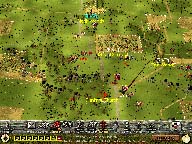
It's September 17, 1862 and the armies of the North and South are about to collide near a little creek called Antietam. Choose to command the Yankees or the Rebels. Move enormous lines of thousands of soldiers and out-maneuver your opponent to win supremacy over the battlefield. History is in your hands.
|
|
|
| What You'll Need |
|
|
- A FREE Zone Name and password (Sign up now!)
- Antietam retail game software (check game's documentation for specific system requirements)
- Windows 95/98, or NT 4.0 or later with Service Pack 3
- Microsoft Internet Explorer version 3.02 or later, or Netscape Navigator version 4.0 or later
|
|
| How to Play |
|
|
- Sign up for a FREE Zone membership.
- Once you have a Zone membership, you can play Antietam anytime you want. Enter your Zone Name and password to log on to the Zone and select a game room.
- Make sure you have the game CD-ROM in your drive.
- Hosting and joining a game are easy: To host, click an empty table, then wait for other players to join. Launch the game once you have enough players. To join, click a table already occupied by one or more players and wait for the host to launch the game. You can find out more about hosting and joining in our Tutorial
.
|
|