|
|
|
|
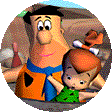
Meet the Flintstones! Your loveable pre-historic pals from Bedrock have leaped out of your TV and onto your computer! Help Fred and the gang through death-defying turns and dizzying jumps to knock down as many pins as you can. Hit gems and powerups along the way to increase your score, but keep your eye on those Dodo Birds and collect them for the extended lane! See who can get the highest score in Bedrock. Yabba-Dabba-Doo!
|
|
|
| What You'll Need |
|
|
- A FREE Zone Name and password (Sign up now!)
- The Flintstones Bedrock Bowling retail game software (check game's documentation for specific system requirements)
- Windows 95/98, or NT 4.0 or later with Service Pack 3
- Microsoft Internet Explorer version 3.02 or later, or Netscape Navigator version 4.0 or later
|
|
| How to Play |
|
|
- Sign up for a FREE Zone membership.
- Once you have a Zone membership, you can play The Flintstones Bedrock Bowling anytime you want. Enter your Zone Name and password to log on to the Zone and select a game room.
- Make sure you have the game CD-ROM in your drive.
- Hosting and joining a game are easy: To host, click an empty table, then wait for other players to join. Launch the game once you have enough players. To join, click a table already occupied by one or more players and wait for the host to launch the game. You can find out more about hosting and joining in our Tutorial
.
|
|