|
|
|
|
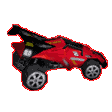
WOW! Real-life RadioShack radio controlled cars have leaped off the store shelves and into an online racing game! Let the kid in you loose when you get behind the wheel of one of 12 available recreated radio controlled cars. Zip around the cool tracks, like Backyard Trouble, Construction Site, and the RadioShack Store. You can play for fun in a Practice Race or race to win awesome prizes in a RC Riot Tournament. It's fun for everyone!
|
|
|
| What You'll Need |
|
|
- WildTangent Driver and RadioShack RC Riot software (automatically downloaded when you enter the game)
- Windows 95/98, or Windows 2000
- Microsoft Internet Explorer version 4.0 or later. Not compatible with Netscape Navigator or AOL 6.0
- 3D Accelerated Video Card with at least 4MB of video RAM.
|
|
| How to Play |
|
|
- To start the game, choose your detail setting. This will determine the quality of the media.
- You'll have a choice of High
(all media, sound effects, graphics, and special effects), Medium
(all media, sound, but graphics are lower in detail and special effects are reduced), or Low
(all media, sound effects, compressed graphics, no special effects or music). See our Help for specifics on the Detail Settings.
- Then choose your race: Practice
Race
for a practice on the course or Tournament
for a chance at prizes and submitting your score. (Zone Membership required for Competitive play).
- Check out our Help section for specifics on Controls and Basic Training!
- On your mark! Get set! Go!
|
|