|
Ladies and Gentleman! Gamers from around the world! We are proud to present the new Internet Gaming Zone packed with new features, quick and easy navigation, and as always MORE games, MORE fun, and MORE excitement!
Let's give you a quick tour of our new site and new features!
Brand New Home Page!
As you can see, we've made some nifty navigation changes to our Home page. There's a new navigation bar on top of the Home page in addition to a table of contents on the left. Let's quickly go through the categories in the navigation bar.
- Home: Here's where you'll find all our games sorted by category, or just check out our entire list of games by selecting the Game Index.
- News: Here you can find all the cool game news, reviews, previews, strategy guides, and cheats and tips provided by game review publications.
- Chats & Events: This is the place to be if you want to talk to game developers, game experts, and Zoners everywhere! You can also get the latest information on upcoming tournaments and events!
- Shop: Need to get a strategy guide or a copy of the latest game? Then the shop is the place to be! Here you can purchase retail game software, computer hardware, and a range of great books!
- Downloads: Found a totally rad game, but not quite sure if you want to purchase it? Then come to the Downloads page to get free game trial versions!
- Profiles: A great place to get the scoop on your Zone friends and challengers!
- Services: Here's where you can find member services information on such topics as lost passwords, changing your e-mail address, and signing up for our free newsletter.
- Help: If you've got questions, we've got the answers! Help has all the information you need!
Also, the bottom right of the Zone Home page will always list the most recently visited games by YOU! So now it's a snap to find and jump into your favorite game!
Out of this World: Zone Profiles!
Zone Profiles are one of the most exciting and cool new features on the Zone! They're an excellent way to let other Zoners know your favorite games, your favorite URL, where you're from, and much more!
There are two types of Zone Profiles to choose from: individual and teams. Every player who has a Zone member ID will automatically have a Zone Profile created for them. This Zone Profile only contains your Zone ID. It's up to YOU to personalize your profile.
If you play as a member of a team, clan, or allegiance, then team profiles are for you! Team Profiles are an excellent way for you to post your team information, such as the members of your team, the awards you've won, your team's preferred games and more. And if you're not a member of a team and would like to join one, then you can use Team Profiles to petition the team owner for membership. It's fun and easy!
You can access Zone Profiles by clicking Profiles on the Zone navigation bar. For more information on how to use Zone Profiles, read Introducing Zone Profiles.
Two Ways to Host and Join Retail Games!
Want to quickly host or join a game? Having a hard time finding available players in the game room? Then let us help you!
Now, when you enter a retail game room, you can host a retail game in either Table View or List View. Select the view you want by clicking Table View or List View in the menu bar located on top of the game room.
|
|
|
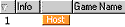
To host a game in List View, click Quick Host from the game room toolbar, and the Zone will find the first free table and make you the host of a new game.
|
|
|
|
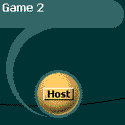
To host a game in Table View, click the Host button and use the chat feature to recruit other players to join your game.
|
You can also join a retail game in either Table View or List View. Again, select the view you want by clicking Table View or List View in the menu bar located on the top of the game room.
|
|
|
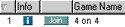
To join a game in List View, click Quick Join from the game room toolbar, and the Zone will find the first free table and make you the host of a new game.
|
|
|
|
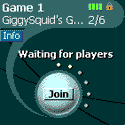
To join a game in Table View, click the Join button and use the chat feature to recruit other players to join your game.
|
New Features in Retail and Premium Game Rooms!
Here are some of the new features available in retail and premium game rooms! In addition to sending a chat message in a game room by typing your message and pressing ENTER, you can also type your message and click Send.
Wish you could change the size, color, and font of your chat text? Now you can! In a retail or Premium game room, click Options in the menu bar and select Chat Font. Also in the Options drop-down menu, you can select “Show Enter/Exit Messages” and “Filter Chat Languages”. All these options will only change the way you view chat messages. They won't affect how other players see your chat messages.
You can sort the players listed on the right of the game room by latency or by name. Click Options in the retail or Premium game room menu bar and select either “Sort Users by Latency” or “Sort Users by Name.” And if you're in a rated game room, you can sort player names by rating.
|